
Getting started
Set up your first plan in 5 minutes
AI Parent supports profiles from Before School Age through Retired, with a core planning focus from TK through 12th Grade + Continuing Education.
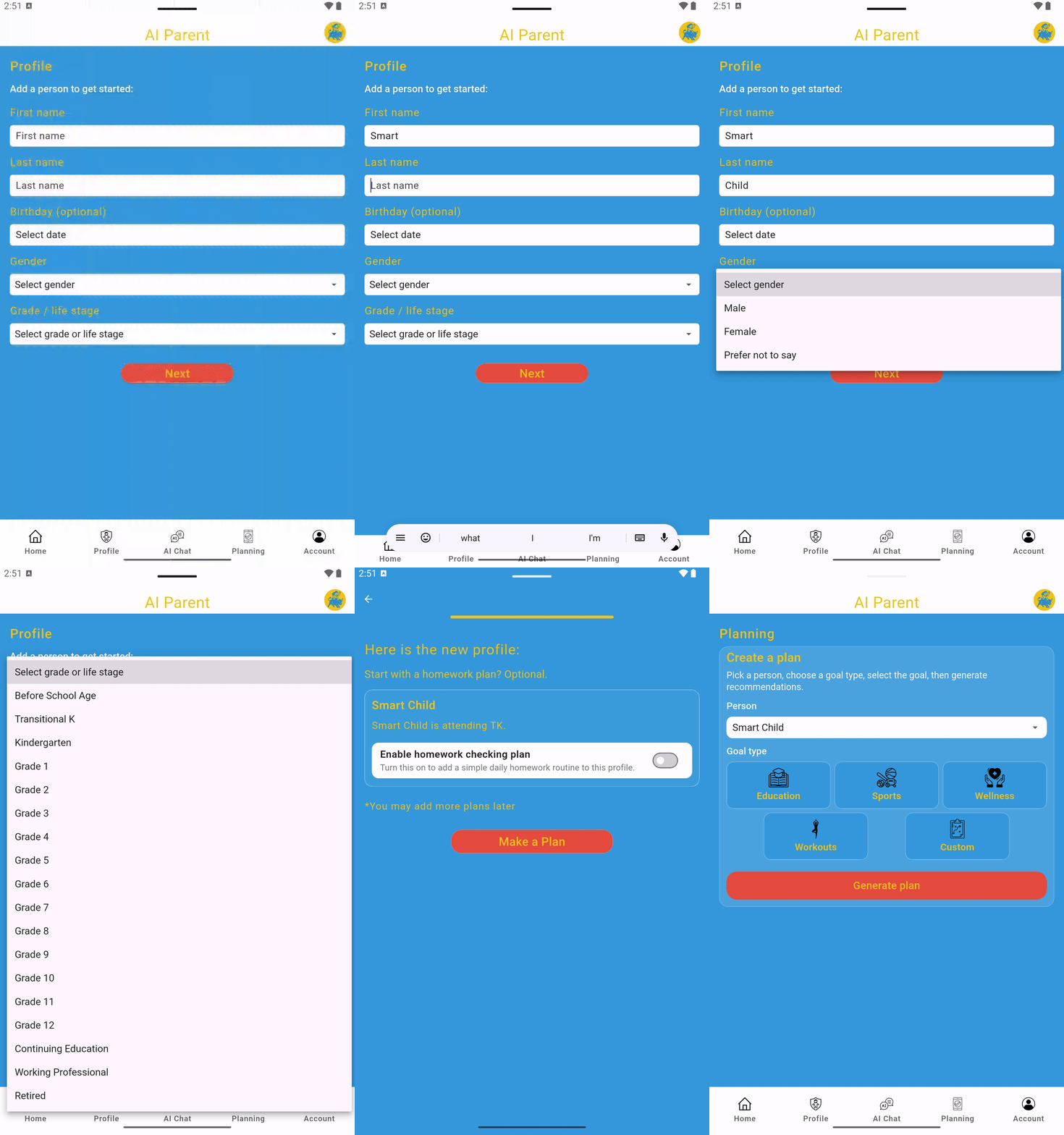
Step 1: Create a profile
- Open AI Parent, sign in, and go to the Profile tab. Create your first profile or tap Add a person.
- Enter a name and select a life stage or grade. AI Parent supports profiles from Before School Age through Retired, including Transitional Kindergarten, K–12, and Continuing Education. All other profile information is optional.
- Tap Next.
- Choose whether to enable a homework plan for the profile by toggling the setting on or off based on the person’s needs.
- Tap Save to create the profile.
Step 2: Generate a plan
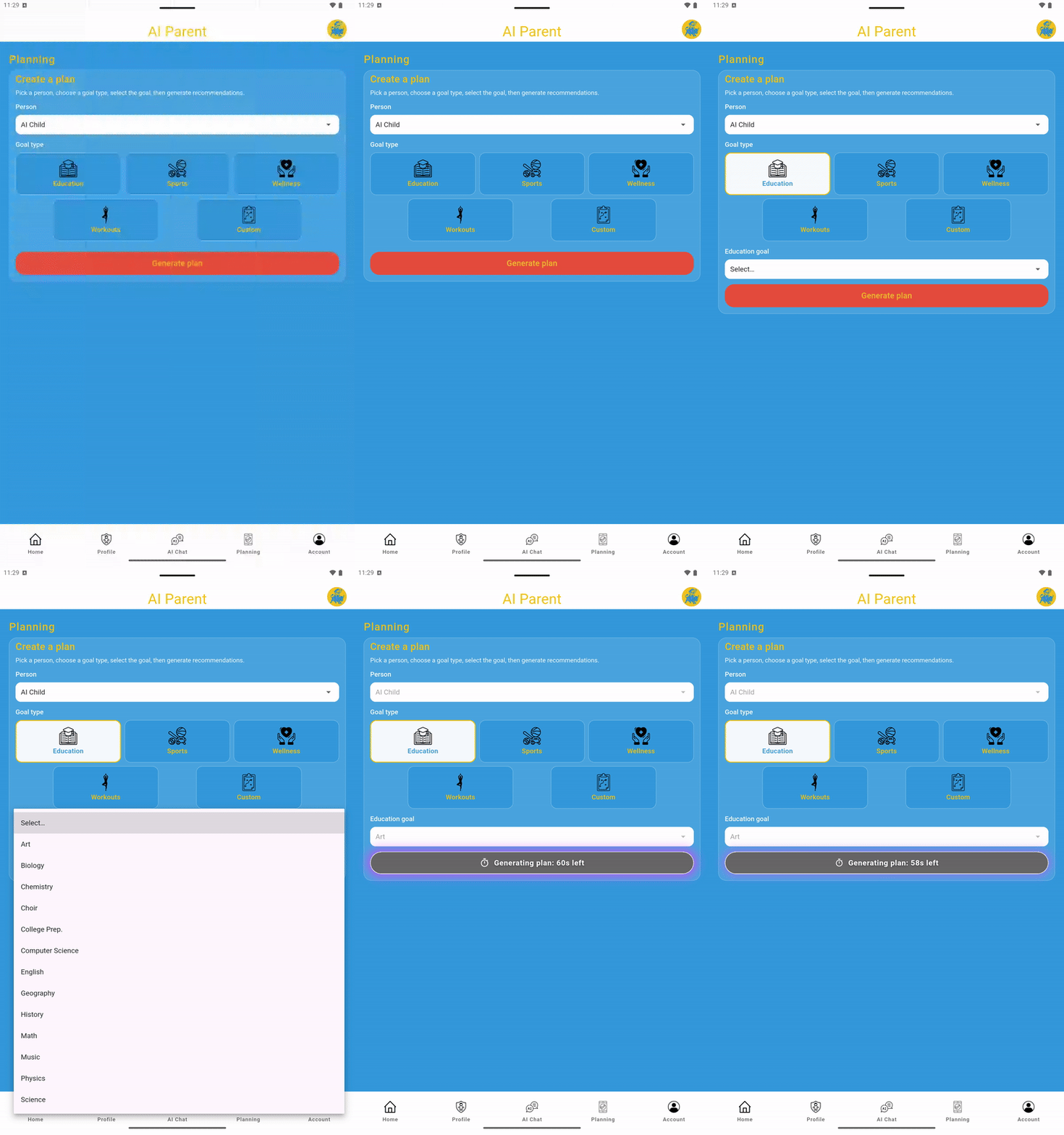
- Go to the Planning tab.
- Use the selector to choose the person you want to create a plan for. If there is only one profile, that person is selected by default.
- Choose Education, Sports, Wellness, Workouts, or Custom.
- Choose a focus area, such as math, English, science, tennis, basketball, gymnastics, stress reduction, general fitness, or another available goal. For a Custom plan, enter your own goal.
- Premium Feature: Add custom comments or directions when creating any plan to further personalize the plan and its tasks.
- Tap Next to generate the plan.
Best practice: start small (10–20 minutes/day). Consistency beats intensity.
Step 3: Make it part of your routine
- Review the generated plan and its tasks. Edit or delete anything that is not useful or relevant.
- Adjust task titles, schedules, and durations so the plan fits your routine.
- Tap Save to add the plan to the selected profile.
- Find saved plans under that person on the Profile page.
- Use the Home page to view scheduled tasks and mark them complete.
Calendar view: tap Calendar at the top of the Home or Profile page to see scheduled tasks by date at a glance. Pro tip: tasks for the selected day are listed by scheduled time and can be marked complete directly from the calendar view.