
From goals to a real routine
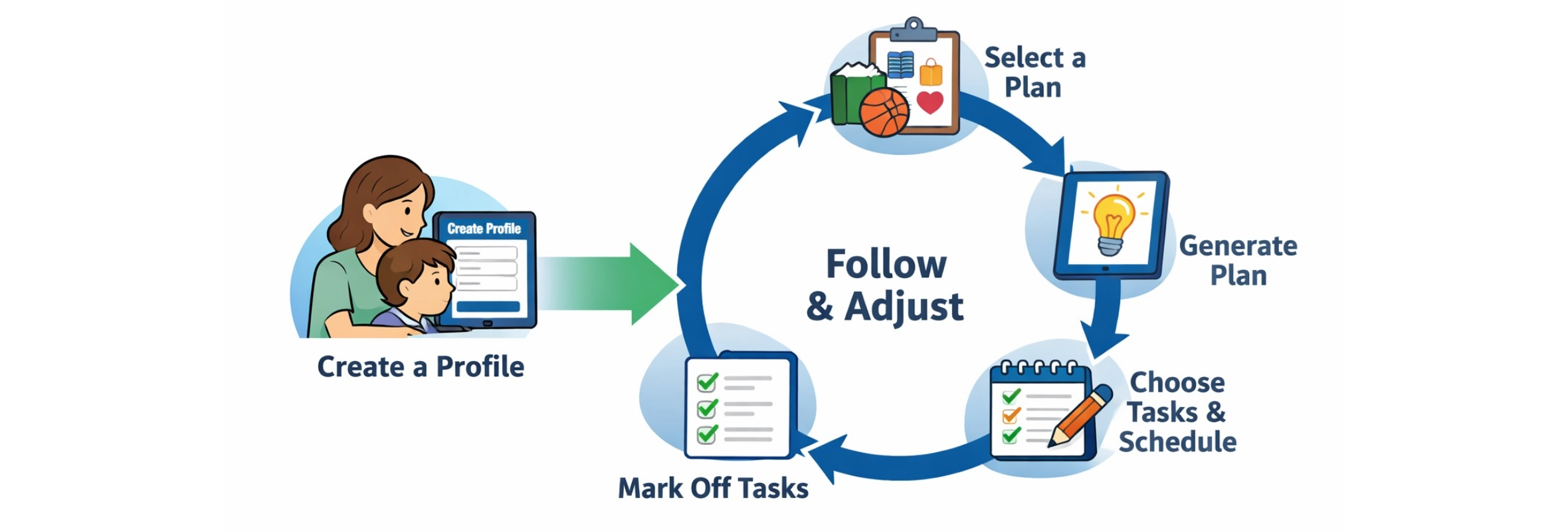
AI Parent App is designed to remove planning friction. You enter name and grade level to make a profile, then choose a goal to generate plans that feel actionable—not generic.
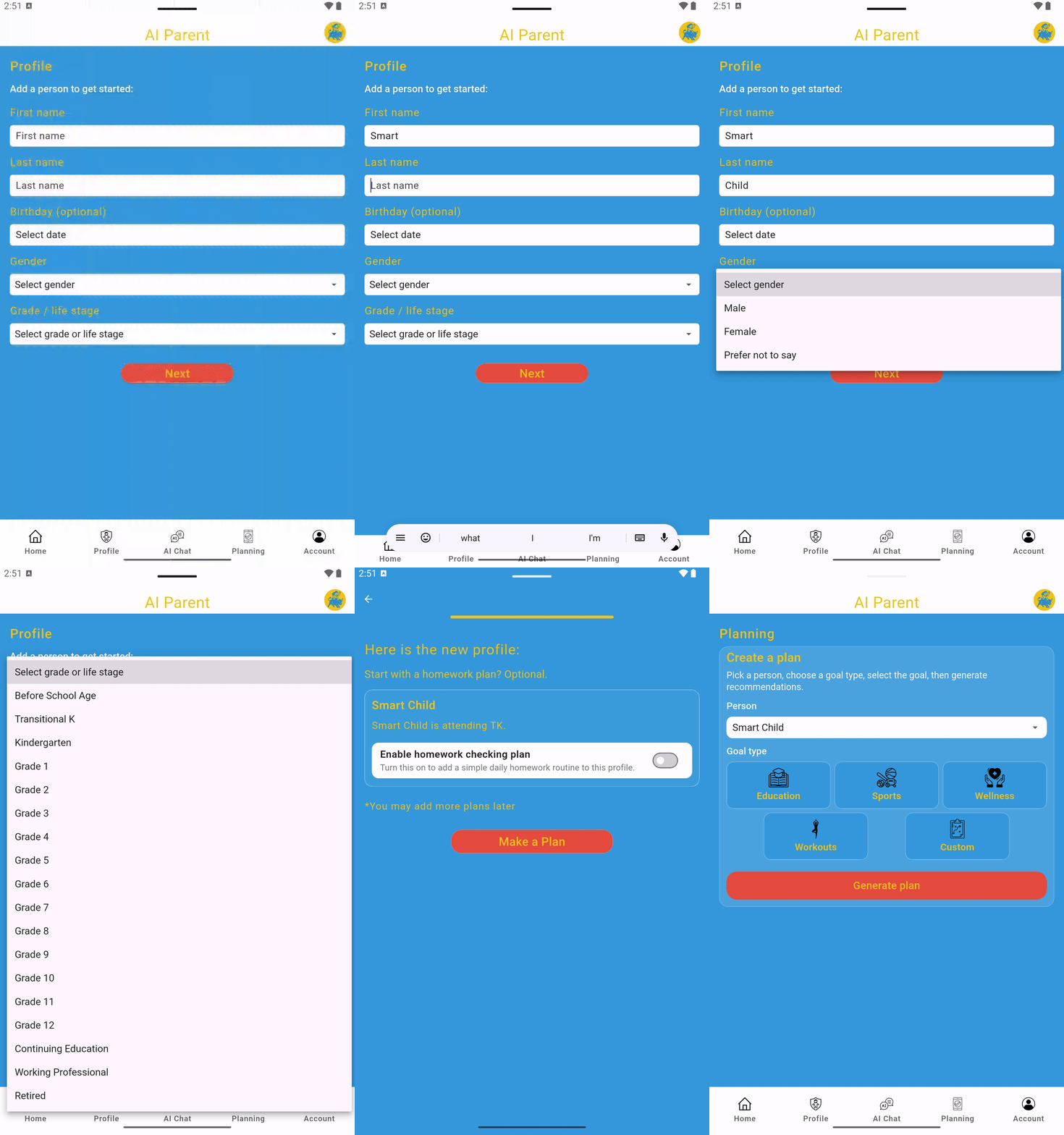
1) Create a profile
Start from the Profile page by creating a profile for the person you want to plan for, such as yourself, a child, student, or family member.
For children who are not yet in school, choose the "Before School Age" group. This adds support for newborns, babies, toddlers, preschool-age children, and children around age 4 before they begin formal schooling.
2) Make a plan and save it
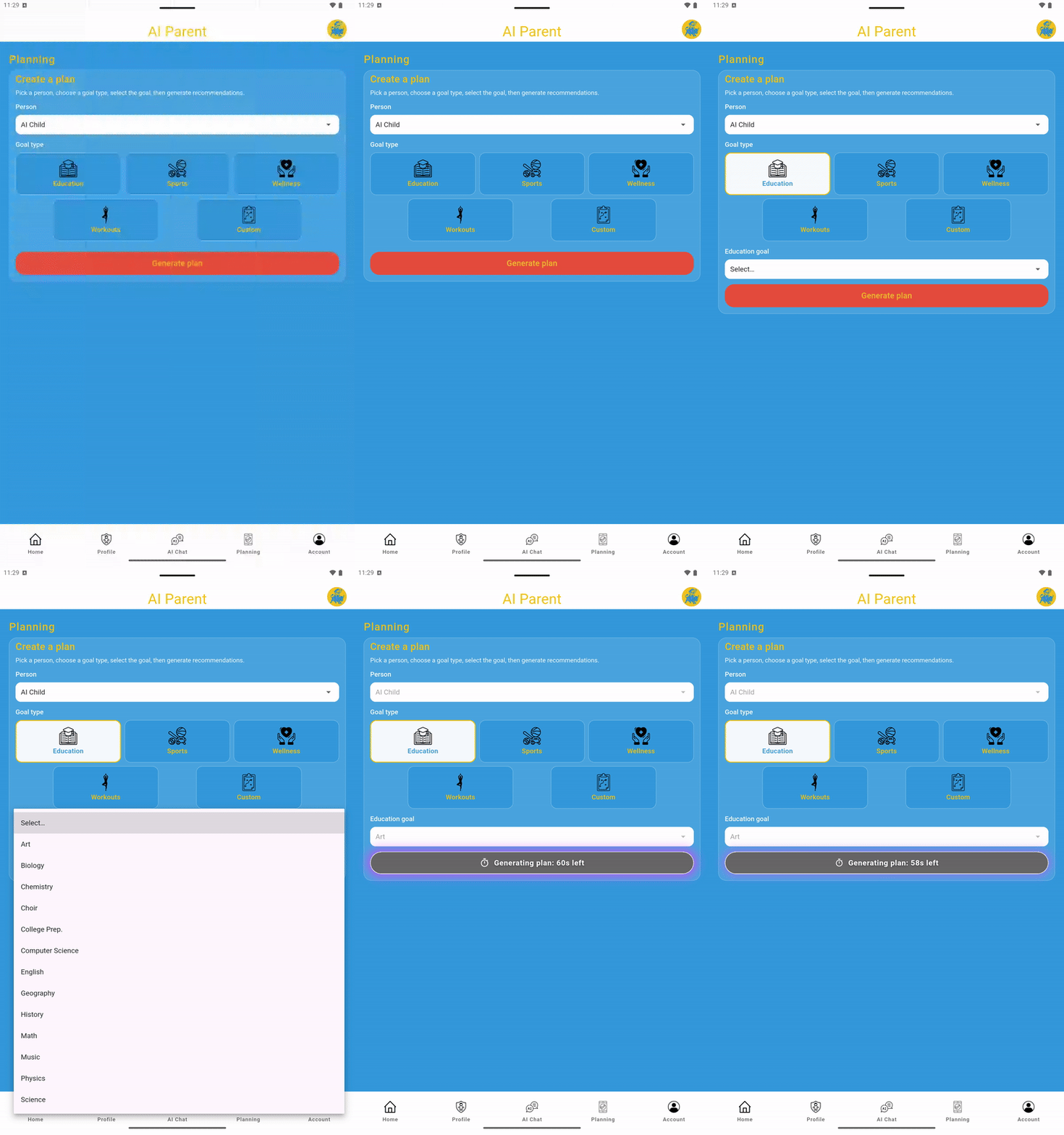
Go to the Planning page to make a plan. Choose Education, Sports, Wellness, or Custom, then select a goal or enter your own custom goal.
- Education plan goals: math, English, science, art, biology, physics, computer science.
- Sports plan goals: basketball, baseball, soccer, tennis, football, track and field, volleyball.
- Wellness plan goals: general wellness, fitness routine, self-care, family bonding, mindfulness and calm, stress reduction, lifestyle balance.
- Custom plan goals: enter your own goal in the text box.
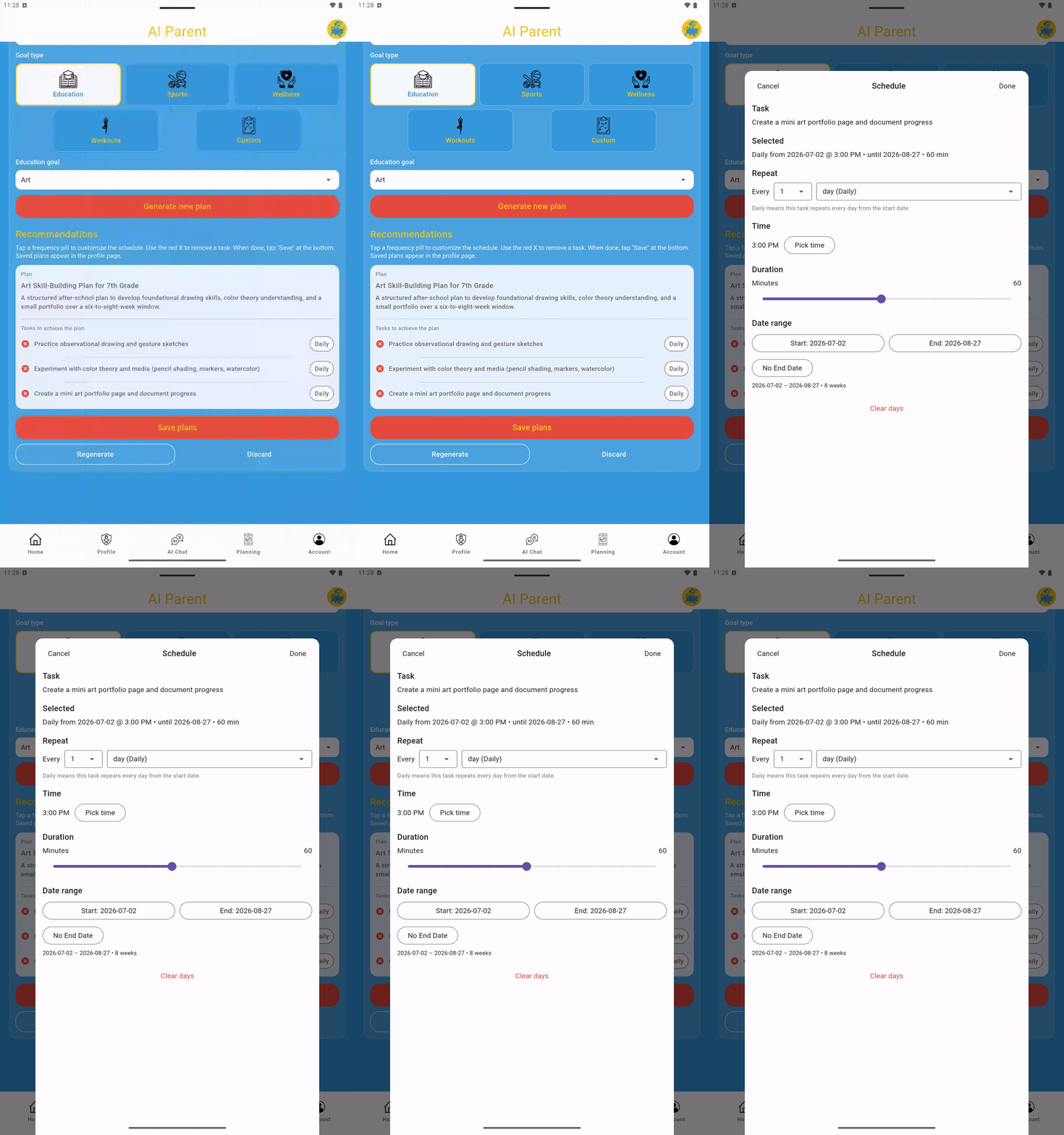
After AI Parent generates a plan, review the tasks, adjust the schedule if needed, and save it. Saved plans are organized under the selected person on the Profile page.
3) Follow the plan daily by completing due tasks
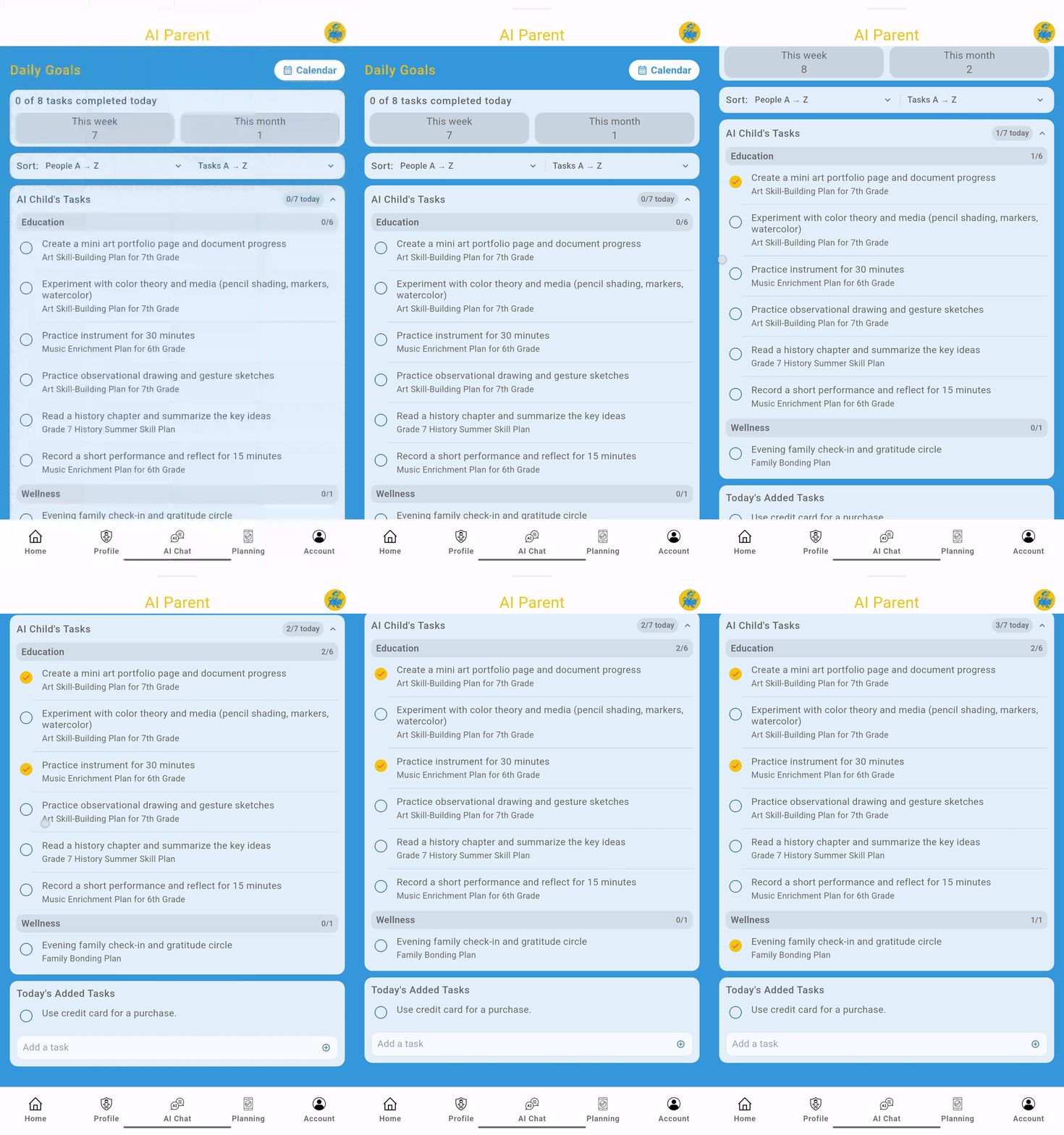
Tasks scheduled for the day appear on the Home page, where they can be checked off as completed.
Use AI Parent as a daily routine: complete due tasks, build consistency, keep your streak going, and make edits when life changes.
Premium users can also use Chat with AI Parent to ask questions, brainstorm routines, get homework support, and create ideas for custom plans.